I've been following a product called Tegrity for about 5 years - it is a lecture capture software - pretty pricey - but I have a year-long trial period to play with it, see if we can do the same thing with other tools for less, and see if faculty have a use for it...Check out a sample below... Instead of PowerPoint, you can use a document camera, or graphics pad to record your working out a problem, or anything on your computer. It records and does all the post-production automatically and can be fully integrated with ANGEL and our authentication systems.
So far, this does the same thing as Adobe Connect - but what about document camera - can that be set-up with Connect in the camera pod?
Friday, July 9, 2010


Wednesday, June 30, 2010
New Content Features in ANGEL 7.4

I've been so focused on the big changes with the Assessment Tool, that I missed the opportunities available with several of the content tools which I'd like to highlight here!
- Google media button in html editor - Now in any area that has the html editor (any text box usually) - you can click on the "G" icon to link to any video directly from Youtube or any picture stored in Picasa (Google's image storage tool). This has 2 advantages - it stores the media in a location outside of ANGEL since your storage is very limited in ANGEL, and it is easy to use!
- Adding RSS feeds to your courses - under the Resources or Communicate tabs, you can add an RSS feed pod and then add any RSS feed there you want to have available for your students. You can search by topic, or add the URL directly for any feed
- Ability to add custom pods - Notice the video in the center of the picture above - you can now create a blank content pod (under Resources or Communicate tabs) and add anything that you want to add, using the html editor - video, pictures, text. Use it to welcome students to a course, preview a lecture, review for tests.. it puts immediate things at their fingertips - rather than having them search under the lessons tab.
Thursday, June 3, 2010
Action Research: Determining Teaching Effectiveness
Have you ever asked yourself, "How effective is a certain strategy I'm using, and how would I know?" or said, "I received some comments on my student evaluations that I'd like to address, but I'm not sure how to go about changing things so that it would make a difference." "How can I effectively communicate (at important junctures) the scholarly effort that goes into my instructional decisions?"
Consider using an action research cycle to guide the design of the changes you want to make. The steps in the cycle give you opportunities to gather data about the effectiveness of your instructional decisions, so you have the confidence and knowledge you need to describe the rationale behind your decisions as well as data to describe their effectiveness.
Taking the time to contemplate your teaching effectiveness and having a process by which to analyze what you are doing, can be rewarding and confidence-building, and can be counted as another type of scholarly activity. The Carnegie Foundation for the Advancement of Teaching http://carnegiefoundation.org has been shaping and contributing to the body of work known as The Scholarship of Teaching and Learning (SoTL) since the late 1990's following the publication of the Boyer Commission's groundbreaking paper, Reinventing Undergraduate Education: A Blueprint for America's Research Universities.
This semester, participants in the Course in College Teaching are implementing mini action research projects in their classes. As we are working through our projects, it occurred to me that others might benefit from this process as well, so I'm sharing it in abbreviated form here. This article contains an overview of the action research process followed by an extended example that applies the steps to a classroom scenario.
The Process
The basic process is this:
* Identify a question, problem, or challenging situation in a course
* Research possible strategies to address the issue
* Plan for implementation of the strategy (including what data to collect to determine effectiveness)
* Implement the strategy & gather information
* Analyze and evaluate for effectiveness
* Record your findings and reflections (go through the IRB process if you plan to publish the results! http://www.research.psu.edu/orp/areas/humans/ )
* Share what you are learning with colleagues!
* Adjust the strategy as needed for the next round… or… if it was successful…
* Begin the process again with a new question
Briefly then, action research is a reflective process that guides the implementation of a chosen instructional change and gives the instructor important information about the effectiveness of the change so that informed decisions can be made about future instruction. In the next section, each step is presented in greater detail.
Identify a question, problem, or challenging situation in a course
* Be really focused and concise. An issue that reads, I want students to be motivated to learn, might be too broad. Ask yourself what lies behind that statement – Are students coming to class unprepared? Are they disengaged from discussions or group activities? Get to the root of the issue. Form your question at the underlying issues.
* Pick an authentic issue that you want to address. It should be interesting to you as well as have impact on learning. For example, don't just add a new piece of technology for the sake of it – there should be a real issue/need driving the changes you want to make.
* Design with observable behaviors in mind. You need to get data to evaluate effectiveness, so as you think through your possible implementations, start to think about this. You want to implement a strategy that will allow you to "see" the changes you are looking for. So, if by being motivated, you really mean you want students to do more substantive work… then ask yourself what you can devise to foster and see that desired behavior.
* Ask yourself whether the question you want to address can be connected to your course objectives. While there are some things, like developing a positive classroom climate, that aren't directly related to content objectives, we know that they impact learning in the classroom. So these questions are also legitimate to address… At the end of the process, you want to be able to say that whatever change you implemented helped students to reach the course objectives more successfully… just check the alignment – don't spend time implementing a strategy that doesn't help you to do this in some way – either directly or indirectly.
Research possible strategies to address the issue
Look through journals, books, and university teaching and learning center resources for tested ideas to address your issue. A good literature search can provide powerful information about what research and experience say are effective strategies. This information becomes just one part of the data you present to support the changes you make in your classroom.
* Many content areas have professional journals dedicated to the teaching issues of that content. Math, English, engineering, communications, foreign languages are just a few that come to mind.
o A list of content specific journals and resources is here - www.personal.psu.edu/scs15/cct/content.doc
o There are also wonderful journals about teaching in higher education in general. http://www.isetl.org/ijtlhe/ International Journal of Teaching and Learning in Higher Education is one.
o Check with Barb Eshbach in the library for further assistance in finding specific journals.
* Many universities have wonderful teaching and learning resources already available – Here is an extensive list http://www.richlandcollege.edu/tr/centers.php
* Look through some of these important texts for teaching in higher education:
o McKeachie's Teaching Tips – Wadsworth (2009)
o Barbara Gross Davis's Tools for Teaching- Jossey Bass (2009)
o PSU Teacher II – available at Schreyer Institute - http://www.schreyerinstitute.psu.edu/pdf/PennStateTeacherII_R1.pdf
o Classroom Assessment Techniques – Angelo & Cross – Jossey Bass (1993)
o Collaborative Learning Techniques- Barkley, Cross, & Major – Jossey Bass (2004)
o Engaging Ideas - Bean – Jossey Bass (1996)
o Creating Significant Learning Experiences – Fink – Jossey Bass (2003)
Plan for implementation of the strategy (including data collection for effectiveness)
So you've narrowed your question and you've come up with some strategy you think will be effective in addressing the issue… so how are you going to implement it and how are you going to continue to gather data about its effectiveness?
* Lesson Planning – start with a good general plan for the implementation. Examples of different models that could be used:
o Gagne's 9 Events of Instruction - http://ide.ed.psu.edu/idde/9events.htm
o L. Dee Fink's Taxonomy of Significant Learning - http://trc.virginia.edu/Workshops/2004/Fink_Designing_Courses_2004.pdf
o Basic constructivist lesson plan - http://www.thirteen.org/edonline/concept2class/constructivism/index.html
Planning is key – What is your learning objective? What strategy are you going to implement? How are you going to implement it? How will you collect data? What data will you collect?
* Data Collection – Here are some typical types of classroom data that you could collect:
o Observations
o Student surveys, interviews, focus groups
o Pre/post assessments
o Instructor reflection journals
o Student artifacts – homework, journal entries, other classroom documents
Resources about data collection
* Effective Use of Assessment Data in Action Research - Learning Sciences (2001) shared with permission - http://www.personal.psu.edu/scs15/cct/DataCollection.pdf
* Documenting and Evaluating Effective Teaching - http://fod.msu.edu/oir/Documenting/effectiveness.asp
Implement the strategy & gather information
So you've planned the session and created all the data collection instruments you'll need. Now it's time to try it out and gather the data!
Analyze and evaluate for effectiveness… and next steps
Take time soon after the session to jot down your thoughts about your initial observations. Overall, how do you think it went? How does it compare to other sessions? What differences did you notice? Now look at the data you collected. What is it telling you? Anything significant?
Take a day or two to let it all sink in. Based on all of the different kinds of data you collected: observations, student surveys, assessment or homework data, participation, your own reflection, literature searches – do you think the strategy worked? How do you know? Would you do anything differently the next time? Were there any gaps in the information you needed to analyze the effectiveness? How could you go about getting that information next time? Overall, what did this exercise tell you about your own teaching… about your students… about the strategies used? What are some follow-up or new questions you have about your teaching?
And the process begins anew…
Make a written record of your analysis – Don't rely on your memory later on. Keep a teaching journal – electronic or hard copy to capture what you learned http://blogs.psu.edu/ Consider sharing your findings with colleagues!
Consider how much more confident you could be (after working through this process) to talk about your instructional decisions and their effectiveness/impact on student learning! Not only can you discuss what you are doing in the classroom, but why… and how effective it is… and how you know that…
Having worked this process several times this semester, I can honestly say that it has made a real difference in my own satisfaction levels in the classroom and in the learning gains of my students. I hope you get a chance to try it out and use it to share what you are doing in the classroom. Keep me posted on how it goes!!!
What follows is an extended example to further illustrate the process.
You've noticed that students are coming to class and don't seem really prepared with the readings you've assigned. They aren't participating in discussions and group work activities are not producing substantive results. You think this also ties back into preparedness issues… so your action research question might be something like this: How can I design reading assignments that improve the substantive nature of student participation in class?
In preparation, you've done some reading in several texts and content-related journals about the subject. Based on your reading, you've decided to implement 2 strategies in the next unit: RATs (Readiness Assessment Test) and RAFTs (Role – Audience – Format – Topic)
RATs are usually quizzes that test students' readiness to participate in the next step of a process – so in this case – readiness to participate in a discussion and to do other in-class activities – They need to know X,Y, Z before they can do the next step. You can allow multiple attempts in online quizzes so students really get the important points by the end.
A RAFT requires students to produce an authentic document – a memo, letter, web site, etc. that has to be written from a certain perspective to a certain group of people – related to your content area. See a more detailed description at: http://doe.sd.gov/curriculum/6plus1/docs/educators/docs/RAFTS.pdf
For this class, you plan to assign a reading section for homework and you tell students that there will be a quiz at the beginning of class (or in ANGEL before class) = RAT. The purpose of the quiz is to help them get ready for in-class activities = discussion of the reading and construction (in group) of a related RAFT.
N.B. – the nature of the RAFT assignment should be something that connects to your course objectives. If you don't see this connection, re-work it until it aligns.
So what kind of data can you plan to collect to see whether the RATs and RAFTs are effective?
1. Observations – count the number of substantive (showing evidence of having done the actual readings)participations in the class discussions BEFORE you implement the strategy and then AFTER… look for meaningful increases
2. Quiz data from RATs – Do you see that students did understand the material before coming to class?
3. Group project – RAFT – Do you see evidence of more substantive participation in the group work/product compared to other group projects?
4. Teacher journal – what is your perception of participation in group work before implementation of RATs/RAFT and afterwards.
5.
Student survey – do an anonymous survey asking students about whether they think the RAT and RAFT design helped them to achieve the learning goal – What aspects of each did they think were helpful/unhelpful. To what degree did they feel they were prepared and participating as a result of the design? Did the RAT help them to be better prepared to complete the RAFT?
6. Literature search – you already did research about effective strategies – this is good supporting information in your explanation of effectiveness – the rational for your choice….
PLAN - Do you need to create anything to help you gather the data before the session? In this case, a survey, some way to gather your observations – using the seating chart with tick marks for each substantive participation in the discussion, the RAFT details - creating the assignment, a rubric...., a place to record your own reflections, data and analysis ( a blog, teaching journal, Word doc) some place to capture all of your work to share later (either in your FAR, in your teaching portfolio, or in your tenure packet) Remember, if you are planning to publish, you need to complete the IRB process!!! http://www.research.psu.edu/orp/areas/humans/.
Use a lesson planning model to support your entire session design.
Now you go to class, implement the strategies, gather the data and come back to analyze what you found. Perhaps you initially noticed more enthusiasm in the class. You notice that you had 17 substantive comments ( from 75% of class members)during the in-class discussion. The ANGEL quiz data (RAT given before the class online) showed an average class score of 85%, indicating overall readiness. In a previous session, you observed only 5 substantive comments and some uncomfortable silences or off-topic comments.
During the group work, you noted that all groups were working throughout the class period on the task assigned. Within groups, you noted that 80% of group members were on-task. After instructor prompts, this number rose to 90%. Students turned in their RAFT assignments at the end of the session and you noted the average class grade of 85%(based on the criteria specified in your rubric) indicating substantive completion as well as successful application of course concepts into the project.
The student survey indicated that most students felt confident of the material by the end of the completion of the RAFT. They also enjoyed the activity and felt overall better prepared for the class discussion. Students indicated a preference for being allowed to take the RAT multiple times before class.
Your overall reflection then might include information about your lit search on the strategies used, your findings, and your interpretation. Would you continue with the strategies, change them, or try something new and why? How did you, as the instructor feel at the end of the session? Was there a higher degree of satisfaction for you?
When you look at the overall session, you can determine a strong alignment with the attainment of at least one of your course objectives.
After this action research process is completed, you should have a more complete and detailed understanding of the processes happening in your classroom and therefore enough information to make a much stronger case for your instructional decisions.
Consider using an action research cycle to guide the design of the changes you want to make. The steps in the cycle give you opportunities to gather data about the effectiveness of your instructional decisions, so you have the confidence and knowledge you need to describe the rationale behind your decisions as well as data to describe their effectiveness.
Taking the time to contemplate your teaching effectiveness and having a process by which to analyze what you are doing, can be rewarding and confidence-building, and can be counted as another type of scholarly activity. The Carnegie Foundation for the Advancement of Teaching http://carnegiefoundation.org has been shaping and contributing to the body of work known as The Scholarship of Teaching and Learning (SoTL) since the late 1990's following the publication of the Boyer Commission's groundbreaking paper, Reinventing Undergraduate Education: A Blueprint for America's Research Universities.
This semester, participants in the Course in College Teaching are implementing mini action research projects in their classes. As we are working through our projects, it occurred to me that others might benefit from this process as well, so I'm sharing it in abbreviated form here. This article contains an overview of the action research process followed by an extended example that applies the steps to a classroom scenario.
The Process
The basic process is this:
* Identify a question, problem, or challenging situation in a course
* Research possible strategies to address the issue
* Plan for implementation of the strategy (including what data to collect to determine effectiveness)
* Implement the strategy & gather information
* Analyze and evaluate for effectiveness
* Record your findings and reflections (go through the IRB process if you plan to publish the results! http://www.research.psu.edu/orp/areas/humans/ )
* Share what you are learning with colleagues!
* Adjust the strategy as needed for the next round… or… if it was successful…
* Begin the process again with a new question
Briefly then, action research is a reflective process that guides the implementation of a chosen instructional change and gives the instructor important information about the effectiveness of the change so that informed decisions can be made about future instruction. In the next section, each step is presented in greater detail.
Identify a question, problem, or challenging situation in a course
* Be really focused and concise. An issue that reads, I want students to be motivated to learn, might be too broad. Ask yourself what lies behind that statement – Are students coming to class unprepared? Are they disengaged from discussions or group activities? Get to the root of the issue. Form your question at the underlying issues.
* Pick an authentic issue that you want to address. It should be interesting to you as well as have impact on learning. For example, don't just add a new piece of technology for the sake of it – there should be a real issue/need driving the changes you want to make.
* Design with observable behaviors in mind. You need to get data to evaluate effectiveness, so as you think through your possible implementations, start to think about this. You want to implement a strategy that will allow you to "see" the changes you are looking for. So, if by being motivated, you really mean you want students to do more substantive work… then ask yourself what you can devise to foster and see that desired behavior.
* Ask yourself whether the question you want to address can be connected to your course objectives. While there are some things, like developing a positive classroom climate, that aren't directly related to content objectives, we know that they impact learning in the classroom. So these questions are also legitimate to address… At the end of the process, you want to be able to say that whatever change you implemented helped students to reach the course objectives more successfully… just check the alignment – don't spend time implementing a strategy that doesn't help you to do this in some way – either directly or indirectly.
Research possible strategies to address the issue
Look through journals, books, and university teaching and learning center resources for tested ideas to address your issue. A good literature search can provide powerful information about what research and experience say are effective strategies. This information becomes just one part of the data you present to support the changes you make in your classroom.
* Many content areas have professional journals dedicated to the teaching issues of that content. Math, English, engineering, communications, foreign languages are just a few that come to mind.
o A list of content specific journals and resources is here - www.personal.psu.edu/scs15/cct/content.doc
o There are also wonderful journals about teaching in higher education in general. http://www.isetl.org/ijtlhe/ International Journal of Teaching and Learning in Higher Education is one.
o Check with Barb Eshbach in the library for further assistance in finding specific journals.
* Many universities have wonderful teaching and learning resources already available – Here is an extensive list http://www.richlandcollege.edu/tr/centers.php
* Look through some of these important texts for teaching in higher education:
o McKeachie's Teaching Tips – Wadsworth (2009)
o Barbara Gross Davis's Tools for Teaching- Jossey Bass (2009)
o PSU Teacher II – available at Schreyer Institute - http://www.schreyerinstitute.psu.edu/pdf/PennStateTeacherII_R1.pdf
o Classroom Assessment Techniques – Angelo & Cross – Jossey Bass (1993)
o Collaborative Learning Techniques- Barkley, Cross, & Major – Jossey Bass (2004)
o Engaging Ideas - Bean – Jossey Bass (1996)
o Creating Significant Learning Experiences – Fink – Jossey Bass (2003)
Plan for implementation of the strategy (including data collection for effectiveness)
So you've narrowed your question and you've come up with some strategy you think will be effective in addressing the issue… so how are you going to implement it and how are you going to continue to gather data about its effectiveness?
* Lesson Planning – start with a good general plan for the implementation. Examples of different models that could be used:
o Gagne's 9 Events of Instruction - http://ide.ed.psu.edu/idde/9events.htm
o L. Dee Fink's Taxonomy of Significant Learning - http://trc.virginia.edu/Workshops/2004/Fink_Designing_Courses_2004.pdf
o Basic constructivist lesson plan - http://www.thirteen.org/edonline/concept2class/constructivism/index.html
Planning is key – What is your learning objective? What strategy are you going to implement? How are you going to implement it? How will you collect data? What data will you collect?
* Data Collection – Here are some typical types of classroom data that you could collect:
o Observations
o Student surveys, interviews, focus groups
o Pre/post assessments
o Instructor reflection journals
o Student artifacts – homework, journal entries, other classroom documents
Resources about data collection
* Effective Use of Assessment Data in Action Research - Learning Sciences (2001) shared with permission - http://www.personal.psu.edu/scs15/cct/DataCollection.pdf
* Documenting and Evaluating Effective Teaching - http://fod.msu.edu/oir/Documenting/effectiveness.asp
Implement the strategy & gather information
So you've planned the session and created all the data collection instruments you'll need. Now it's time to try it out and gather the data!
Analyze and evaluate for effectiveness… and next steps
Take time soon after the session to jot down your thoughts about your initial observations. Overall, how do you think it went? How does it compare to other sessions? What differences did you notice? Now look at the data you collected. What is it telling you? Anything significant?
Take a day or two to let it all sink in. Based on all of the different kinds of data you collected: observations, student surveys, assessment or homework data, participation, your own reflection, literature searches – do you think the strategy worked? How do you know? Would you do anything differently the next time? Were there any gaps in the information you needed to analyze the effectiveness? How could you go about getting that information next time? Overall, what did this exercise tell you about your own teaching… about your students… about the strategies used? What are some follow-up or new questions you have about your teaching?
And the process begins anew…
Make a written record of your analysis – Don't rely on your memory later on. Keep a teaching journal – electronic or hard copy to capture what you learned http://blogs.psu.edu/ Consider sharing your findings with colleagues!
Consider how much more confident you could be (after working through this process) to talk about your instructional decisions and their effectiveness/impact on student learning! Not only can you discuss what you are doing in the classroom, but why… and how effective it is… and how you know that…
Having worked this process several times this semester, I can honestly say that it has made a real difference in my own satisfaction levels in the classroom and in the learning gains of my students. I hope you get a chance to try it out and use it to share what you are doing in the classroom. Keep me posted on how it goes!!!
What follows is an extended example to further illustrate the process.
You've noticed that students are coming to class and don't seem really prepared with the readings you've assigned. They aren't participating in discussions and group work activities are not producing substantive results. You think this also ties back into preparedness issues… so your action research question might be something like this: How can I design reading assignments that improve the substantive nature of student participation in class?
In preparation, you've done some reading in several texts and content-related journals about the subject. Based on your reading, you've decided to implement 2 strategies in the next unit: RATs (Readiness Assessment Test) and RAFTs (Role – Audience – Format – Topic)
RATs are usually quizzes that test students' readiness to participate in the next step of a process – so in this case – readiness to participate in a discussion and to do other in-class activities – They need to know X,Y, Z before they can do the next step. You can allow multiple attempts in online quizzes so students really get the important points by the end.
A RAFT requires students to produce an authentic document – a memo, letter, web site, etc. that has to be written from a certain perspective to a certain group of people – related to your content area. See a more detailed description at: http://doe.sd.gov/curriculum/6plus1/docs/educators/docs/RAFTS.pdf
For this class, you plan to assign a reading section for homework and you tell students that there will be a quiz at the beginning of class (or in ANGEL before class) = RAT. The purpose of the quiz is to help them get ready for in-class activities = discussion of the reading and construction (in group) of a related RAFT.
N.B. – the nature of the RAFT assignment should be something that connects to your course objectives. If you don't see this connection, re-work it until it aligns.
So what kind of data can you plan to collect to see whether the RATs and RAFTs are effective?
1. Observations – count the number of substantive (showing evidence of having done the actual readings)participations in the class discussions BEFORE you implement the strategy and then AFTER… look for meaningful increases
2. Quiz data from RATs – Do you see that students did understand the material before coming to class?
3. Group project – RAFT – Do you see evidence of more substantive participation in the group work/product compared to other group projects?
4. Teacher journal – what is your perception of participation in group work before implementation of RATs/RAFT and afterwards.
5.
Student survey – do an anonymous survey asking students about whether they think the RAT and RAFT design helped them to achieve the learning goal – What aspects of each did they think were helpful/unhelpful. To what degree did they feel they were prepared and participating as a result of the design? Did the RAT help them to be better prepared to complete the RAFT?
6. Literature search – you already did research about effective strategies – this is good supporting information in your explanation of effectiveness – the rational for your choice….
PLAN - Do you need to create anything to help you gather the data before the session? In this case, a survey, some way to gather your observations – using the seating chart with tick marks for each substantive participation in the discussion, the RAFT details - creating the assignment, a rubric...., a place to record your own reflections, data and analysis ( a blog, teaching journal, Word doc) some place to capture all of your work to share later (either in your FAR, in your teaching portfolio, or in your tenure packet) Remember, if you are planning to publish, you need to complete the IRB process!!! http://www.research.psu.edu/orp/areas/humans/.
Use a lesson planning model to support your entire session design.
Now you go to class, implement the strategies, gather the data and come back to analyze what you found. Perhaps you initially noticed more enthusiasm in the class. You notice that you had 17 substantive comments ( from 75% of class members)during the in-class discussion. The ANGEL quiz data (RAT given before the class online) showed an average class score of 85%, indicating overall readiness. In a previous session, you observed only 5 substantive comments and some uncomfortable silences or off-topic comments.
During the group work, you noted that all groups were working throughout the class period on the task assigned. Within groups, you noted that 80% of group members were on-task. After instructor prompts, this number rose to 90%. Students turned in their RAFT assignments at the end of the session and you noted the average class grade of 85%(based on the criteria specified in your rubric) indicating substantive completion as well as successful application of course concepts into the project.
The student survey indicated that most students felt confident of the material by the end of the completion of the RAFT. They also enjoyed the activity and felt overall better prepared for the class discussion. Students indicated a preference for being allowed to take the RAT multiple times before class.
Your overall reflection then might include information about your lit search on the strategies used, your findings, and your interpretation. Would you continue with the strategies, change them, or try something new and why? How did you, as the instructor feel at the end of the session? Was there a higher degree of satisfaction for you?
When you look at the overall session, you can determine a strong alignment with the attainment of at least one of your course objectives.
After this action research process is completed, you should have a more complete and detailed understanding of the processes happening in your classroom and therefore enough information to make a much stronger case for your instructional decisions.
Monday, May 17, 2010
Summer course - what do you enjoy more - teaching or learning
Maybe I'm proof that making education available, affordable, and flexible can create the tipping point that leads to enrollment...
So I finished my second Master's last May, and then I taught in both the fall (ESL PSY) and spring (ESL at HACC)and had the opportunity to also make some good money teaching this summer again, but I thought I had better take some time to relax a little and not get burned out, so I decided not to teach over the summer... but the relaxation thing lasted only a week - ha! I enrolled for a graduate course through PSU Harrisburg's ESL cert program - to brush up on my linguistics.
So what made me jump in?
* I know I like to be learning and engaged intellectually with others
* I know I don't like to have too much time on my hands - enough yes - but not too much and I'm almost caught up on the big gardening jobs
* The course is offered online
* I get the PSU discount
* I can still take vacation and get some R & R in between the acts
* It should give me good ideas for both my PSY and HACC courses in future
* It will count towards ACT 48 credits - keeping my current ESL cert up to date
* I got approval to count it towards the reading cert which is a new goal.
* It will give me exposure to how campuses are running/creating online courses using ANGEL which can be very helpful when teaching online catches fire locally
So what's NOT to like??? Looks like a win-win-win-win, etc. to me...
I had to laugh though when the program coordinator literally tried to talk me out of taking the course (multiple times)...
You've had linguistics already... But, I want to brush up on it
This course is rigorous... not a problem - I prefer that
It won't count towards anything later... not in PSU world, but there are other worlds
Are you planning on taking a vacation, bring your laptop...that goes without saying
The book is really thick... great - didn't I say I wanted to learn something - ha!!!
This is an online course which means a lot of work....I just finished a very rigorous online master's program through IU Bloomington - not worried - I'm still excited about it....
You need to know ANGEL.... Got it
OK, by this time, I am starting to doubt that I really want to do this - I understand that you need to let people know the reality of online learning... but listen to people too - As an instructional designer and instructor myself - F2F and online - I know the pitfalls when people mistakenly think that "cost effective and flexible" are synonymous with easy... but I am not one of those people... so after I swatted away her misgivings one by one, I was, in the end, no less enthusiastic about starting the course...
This process, and my surprise at wanting to take a class again so soon, left me thinking how much I enjoy both sides of the teaching and learning equation - and I might actually enjoy the learning part more that the teaching part.
Here's what I'm thinking lately....
I wish institutions would hurry up and get over the stigma of online learning(for EdD programs) and start offering meaningful opportunities to earn an EdD - Something that mixes developmental ed, literacy, and technology would be great - U. of FL has a program - more tech than literacy though - and Athabasca U in Canada has a distance ed program that is excellent - but that is about it for now - I think part of the hold-up is finding faculty who understand online learning so they can be open to offering courses in that venue... until that happens, these programs aren't going anywhere - Faculty need to experience how deep the learning can go - with the right design - and the right students...many professionals, who want to stay current in their fields, would jump at the chance to continue study in meaningful ways that allow them to grow as professionals and contribute to their own local environments... As with all things lately - the dollar will most likely drive change... and if institutions did some market testing, I bet they would see how many folks, finishing all these burgeoning online master's programs, would want to continue their studies to the next level if given the chance in meaningful ways - especially when the learning opportunities are cost effective, flexible, and available!
So I finished my second Master's last May, and then I taught in both the fall (ESL PSY) and spring (ESL at HACC)and had the opportunity to also make some good money teaching this summer again, but I thought I had better take some time to relax a little and not get burned out, so I decided not to teach over the summer... but the relaxation thing lasted only a week - ha! I enrolled for a graduate course through PSU Harrisburg's ESL cert program - to brush up on my linguistics.
So what made me jump in?
* I know I like to be learning and engaged intellectually with others
* I know I don't like to have too much time on my hands - enough yes - but not too much and I'm almost caught up on the big gardening jobs
* The course is offered online
* I get the PSU discount
* I can still take vacation and get some R & R in between the acts
* It should give me good ideas for both my PSY and HACC courses in future
* It will count towards ACT 48 credits - keeping my current ESL cert up to date
* I got approval to count it towards the reading cert which is a new goal.
* It will give me exposure to how campuses are running/creating online courses using ANGEL which can be very helpful when teaching online catches fire locally
So what's NOT to like??? Looks like a win-win-win-win, etc. to me...
I had to laugh though when the program coordinator literally tried to talk me out of taking the course (multiple times)...
You've had linguistics already... But, I want to brush up on it
This course is rigorous... not a problem - I prefer that
It won't count towards anything later... not in PSU world, but there are other worlds
Are you planning on taking a vacation, bring your laptop...that goes without saying
The book is really thick... great - didn't I say I wanted to learn something - ha!!!
This is an online course which means a lot of work....I just finished a very rigorous online master's program through IU Bloomington - not worried - I'm still excited about it....
You need to know ANGEL.... Got it
OK, by this time, I am starting to doubt that I really want to do this - I understand that you need to let people know the reality of online learning... but listen to people too - As an instructional designer and instructor myself - F2F and online - I know the pitfalls when people mistakenly think that "cost effective and flexible" are synonymous with easy... but I am not one of those people... so after I swatted away her misgivings one by one, I was, in the end, no less enthusiastic about starting the course...
This process, and my surprise at wanting to take a class again so soon, left me thinking how much I enjoy both sides of the teaching and learning equation - and I might actually enjoy the learning part more that the teaching part.
Here's what I'm thinking lately....
I wish institutions would hurry up and get over the stigma of online learning(for EdD programs) and start offering meaningful opportunities to earn an EdD - Something that mixes developmental ed, literacy, and technology would be great - U. of FL has a program - more tech than literacy though - and Athabasca U in Canada has a distance ed program that is excellent - but that is about it for now - I think part of the hold-up is finding faculty who understand online learning so they can be open to offering courses in that venue... until that happens, these programs aren't going anywhere - Faculty need to experience how deep the learning can go - with the right design - and the right students...many professionals, who want to stay current in their fields, would jump at the chance to continue study in meaningful ways that allow them to grow as professionals and contribute to their own local environments... As with all things lately - the dollar will most likely drive change... and if institutions did some market testing, I bet they would see how many folks, finishing all these burgeoning online master's programs, would want to continue their studies to the next level if given the chance in meaningful ways - especially when the learning opportunities are cost effective, flexible, and available!
Friday, May 7, 2010
STEM 7th Grade Girls Workshop - Pathways - Video Haiku... A letter to their future selves...
I was asked to do a workshop using video - The participants would be 7th grade girls interested in STEM careers for our annual Pathways event. The video above is an example of what I hope the girls can accomplish in 50 minutes!! - A sort of letter to their future selves about what they are good at - what they like to do - and what they hope their careers will look like in 2020 ....Below is a description of the genesis of the workshop
At a recent EDUCAUSE Live event on digital storytelling given by Joan Getman of Cornell University, I was struck by the notion of video haiku that she mentioned... a 3-part video sequence that follows the haiku format of 5-7-5 (I need to check this...) and in this case, instead of syllables - it would be seconds of video clips... anyway... this idea began to blossom and when the opportunity to do a video workshop for this event came up, I thought of this idea again....
Well we are constrained by a 50 minute time frame and 14 girls in each session, so I knew we couldn't do three video clips and we'd have to be pretty controlled, too... so over time I came up with this format... and I hope it will work!! One of the goals of the Pathways program is to get girls to consider STEM careers - and meet women during the day who already work in those careers... so I've asked our instructional librarian and an IST faculty member to help me in the session as well.
So I created a template for them to fill in - that gets them to reflect about their gifts, talents, interests, and dreams... and then that becomes their script for the video - The bottom piece of the handout has a template for a Haiku poem that pulls it all together to end the video - They choose to sit at one of staged sets around the room (I gathered props from the chem and bio labs and engineering. brought in some science reated posters from home - put a long equation on the board for mathematics - and that created little "sets" around the room to film in front of... They work with a partner and film each other - then come back to their seats to create the movie - using FLipShare software in teh cameras - adding a title and credits slide - and the burning it to a DvD to take along - The workshop leaders and I went around the room to make sure everything went OK - and for the most part it did! - Some USB ports didnt' work and even though we upgraded all the software int he room - so stations still gave us trouble... but all in all - it went very successfully -Every girl left with a video!!! Here's a video of the room...
It is going to be technically challenging because of the time limitations... so fingers crossed!!!!
DEBRIEF.. after-the-fact - everything went really well - I did change the format - instead of having the leaders work with a smaller group of girls to make the movie and burn to a DvD - I decided to walk everyone through it from the front of the room at the same time - freeing up the assistants to help as needed - This turned out to work really well - so in the case of the few problems - they could really be free to work those through with the individuals. I simplified the ppt between sessions 2 & 3 and used mostly the prompt slides to show them process steps - and help with writing the Haiku...
5 minutes - Introductions & Overview
5 Minutes PowerPoint and Camera overview
10 minutes - writing script and practice with a partner
15 minutes - filming
15 minutes creating the movie with FlipShare software and burning to a DvD - and time enough to watch their final videos
Pretty much consistently we started a little early and had 4 minutes to spare - so just enough time... AND I talk ed about this with another presenter -t he girls were REALLY tech savvy - more than I expected in terms of file management and operations - like copy paste, renaming files, finding files - drag & Drop - that kind of thing used to be an issue - interesting that nothing was an issue.. not even the cameras -
It was a GOOD day!!! The girls seemed to like it and I don't think I'll change much next time at all... Thanks to great help - Emily Wenk - IST Instructor and Barbara Eshbach - Reference Librarian - assistants extraordinaire!!!
Tuesday, April 27, 2010
Teaching Portfolios

http://teachscs.wordpress.com/teaching-videos/
The next to last session in the Course in College Teaching (CCT) was about creating teaching philosophies and portfolios. It just luckily happened that I was scheduled to have a teaching evaluation at the same time. The evaluator had back trouble the scheduled day of the evaluation, so I offered to videotape the session instead of rescheduling since I was already prepared and the semester was drawing to a close.
The process of watching the video and preparing it for viewing by others was very instructive and I thought, hmmmm this could become a really valuable artifact in a teaching portfolio - BINGO!! So to kill 2 birds with one stone - I added chunks of the lesson to my ePortfolio space with narrative comments about each major chunk of the lesson. I was then able to use this to show the members of the CCT as an example of how video could be used to illustrate different aspects of a teaching philosophy or innovative practices.
Thursday, April 1, 2010
Teaching and Advising the Millennial Generation in Higher Education
Please join in the conversation about the presentation we watched by Dr. Fred Bonner on Teaching and Advising the Millennial Generation. Add your questions and comments here by clicking on the "Comments" link directly below this posting.
Thursday, March 18, 2010
Wordle

I love this Wordle tool http://www.wordle.net/create and have used it with classes to offer a fresh look at a piece of text. The words used most often in a selection of text appear larger than the rest...
Very interesting here how the text for my yearly evaluation came out in this image... I'm glad it highlights the word "Faculty" which is my main focus on my campus - how I can best serve the needs of faculty on my campus in terms of technology and teaching.... The tool, I think, gives a person a chance to think about a topic in a totally different light - and can serve as a meditation on the topic - Gosh, when I think of the words I see - Faculty, support, use, projects, angel, teaching, resources, technology - so interesting. How can you measure/describe/evaluate the work completed in any given year???
Tuesday, March 2, 2010
Course in College Teaching - SP 2010
We had some interest in running the Course in College Teaching locally, but our schedules didn't match those of UP and they couldn't send anyone to facilitate for the spring, so I decided to go ahead and run it locally. We started with 6 interested folks, and this number grew to 12 by the start of the course.
I decided to use a two-sided approach to the course - On one side, to include the Schreyer topics in a broad way - and the assignments that make up the back bone of the course... But on the other side, I really wanted the participants to work an implementation project (action research project) during the course so they could get a feel for how to implement an innovation, get data about its effectiveness, and how to evaluate the data and complete the feedback loop.
Full and Part-time faculty could choose their desired level of participation, depending on their time and interest
This seemed to work out really well, because people could then match their individual needs.
We used the PSU Teacher II as well as other handouts that I put into a binder for them and then 2 texts, McKeachie's Teaching Tips and Barbara Gross Davis's Tools for Teaching
We are meeting for 6 sessions (1.5 hours each) and will cover the following topics:
At each session we reported on our progress with implementation projects and gave each other a chance to brainstorm and ask questions.
Assignments
Milestone #1 - Choose a question you want to answer - like why are students not engaged in my class? - or a strategy you want to implement - I want to use group work, or discussions more effectively - describe your project question and give the rationale for your choice
Milestone #2 - Decide on what data you need to implement or answer the question as to the effectiveness of your implementation - assessment data, student surveys, observations of certain behaviors, literature search on teaching in your content area....Choose your strategy and create your plan.
Milestone #3 - Implement the strategy - gather data and evaluate. Decide on next steps...
CCT Assignment #1 - Choose one course - Look at the course objectives and re-write based on the session and readings. Take one objective and map it to associated activities and assessments - Write a short reflection on the process
CCT Assignment #2 - Mid-semester feedback - Choose (or create) a mid-semester feedback instrument - administer it in one of your classes - analyze and evaluate the data - write a reflection about the analysis and next steps
CCT Assignment #3 - Teaching Philosophy Statement
CCT Assignment #4 - Syllabus Review/Feedback/Changes
Some people weren't sure about the assignments, so I decided to actually do the course myself using a current ESL course I am teaching - so I posted my own assignments on the course blog so people could see what I was doing http://www.personal.psu.edu/scs15/blogs/course_in_college_teaching/
For me personally, this course has been an eye opener - I have really enjoyed getting to talk about teaching with other teachers and realize how much I miss this in my somewhat isolated job. I also LOVED working the process myself and saw some huge benefits to doing the implementation cycle!! - See the blog postings for details!!
We have 3 more sessions to go - I hope it has been as useful and enjoyable to others as it has been for me!
I decided to use a two-sided approach to the course - On one side, to include the Schreyer topics in a broad way - and the assignments that make up the back bone of the course... But on the other side, I really wanted the participants to work an implementation project (action research project) during the course so they could get a feel for how to implement an innovation, get data about its effectiveness, and how to evaluate the data and complete the feedback loop.
Full and Part-time faculty could choose their desired level of participation, depending on their time and interest
- Attendee: they come and participate in the sessions
- Participants: they participate in each session and complete the action research project with 3 associated milestones - optional Conversations in Teaching session summer or fall
- Certificate Participant: They participate in each session. They complete the action research project and the 4 CCT Certificate assignments - optional Conversations in Teaching session summer or fall
This seemed to work out really well, because people could then match their individual needs.
We used the PSU Teacher II as well as other handouts that I put into a binder for them and then 2 texts, McKeachie's Teaching Tips and Barbara Gross Davis's Tools for Teaching
We are meeting for 6 sessions (1.5 hours each) and will cover the following topics:
- Objectives, Activities, Assessment - Alignment
- Lesson Planning Models
- Mid-Semester Feedback
- Positive Classroom Climate, Classroom Management, Diversity
- Teaching Portfolios/Teaching Philosophy
- Evaluation as a Means for Continual Improvement
At each session we reported on our progress with implementation projects and gave each other a chance to brainstorm and ask questions.
Assignments
Milestone #1 - Choose a question you want to answer - like why are students not engaged in my class? - or a strategy you want to implement - I want to use group work, or discussions more effectively - describe your project question and give the rationale for your choice
Milestone #2 - Decide on what data you need to implement or answer the question as to the effectiveness of your implementation - assessment data, student surveys, observations of certain behaviors, literature search on teaching in your content area....Choose your strategy and create your plan.
Milestone #3 - Implement the strategy - gather data and evaluate. Decide on next steps...
CCT Assignment #1 - Choose one course - Look at the course objectives and re-write based on the session and readings. Take one objective and map it to associated activities and assessments - Write a short reflection on the process
CCT Assignment #2 - Mid-semester feedback - Choose (or create) a mid-semester feedback instrument - administer it in one of your classes - analyze and evaluate the data - write a reflection about the analysis and next steps
CCT Assignment #3 - Teaching Philosophy Statement
CCT Assignment #4 - Syllabus Review/Feedback/Changes
Some people weren't sure about the assignments, so I decided to actually do the course myself using a current ESL course I am teaching - so I posted my own assignments on the course blog so people could see what I was doing http://www.personal.psu.edu/scs15/blogs/course_in_college_teaching/
For me personally, this course has been an eye opener - I have really enjoyed getting to talk about teaching with other teachers and realize how much I miss this in my somewhat isolated job. I also LOVED working the process myself and saw some huge benefits to doing the implementation cycle!! - See the blog postings for details!!
We have 3 more sessions to go - I hope it has been as useful and enjoyable to others as it has been for me!
Monday, December 14, 2009
Using Blogs (rather than PowerPoint) to Present

The professors who ran the summer EDUC program in Puerto were going to present the program at a local conference. To help with access to the multi-media, I decided to gather all the multi-media snippets they wanted to show into a blog (rather than Ppt). I uploaded the snippets into YouTube and also embedded pictures of student blogs, organizing them into a time line on the blog.
They ended up using both PowerPoint - to guide their talk - and the blog to show the clips at certain points in the presentation. The secondary hope was that the blog would provide a place for people from the conference to add their comments later..
See the blog at http://www.personal.psu.edu/scs15/blogs/educ_497/
Tuesday, October 13, 2009
Practicing with iMovie....
Here is a video of our trip to Maine... It always surprises me how long the editing takes.... shot 40 minutes of video over 4 days... it took about 4 hours to select and edit the video and then to put it all together... another hour to export and upload to YouTube...
I used the Flipcam to see how it might have worked for the students going to Puerto Rico... I had my netbook along on the trip and every night I downloaded the video from the camera to the netbook to free up space and recharged the battery - What I discovered though was that the camera then re-named the videos each day with its numbering system - so I ended up with multiple files with the same names... VID0001, etc... so I had to be careful to store them in separate folders...but then had to re-name them upon my return before uploading into iMovie - so that took time - would I do this differently next time? Well I'm not sure, because I'd want to name them with a more meaningful title than VID0001...so I'd have to view and rename anyway...
When I got back home, I went through them and chose the ones I wanted for the iMovie and just re-named those - then put them in a separate folder and uploaded altogether into iMovie - that all took time!... But also reinforces the point to NOT take too many videos - be selective if you are going to make a movie from it all. I took way too many pictures of the trees.
Even with the HD FlipCam, Mom's digital camera took much better pictures of the foliage - brighter colors - more true to what we saw... so I guess I would want to have both cameras along and the Flip is so small, it isn't a problem...I just had it in my pocket.
Also remember, that if your final destination is YouTube to be careful not to photograph people's faces without their permission - it took a while to edit out those sections.
I used the Flipcam to see how it might have worked for the students going to Puerto Rico... I had my netbook along on the trip and every night I downloaded the video from the camera to the netbook to free up space and recharged the battery - What I discovered though was that the camera then re-named the videos each day with its numbering system - so I ended up with multiple files with the same names... VID0001, etc... so I had to be careful to store them in separate folders...but then had to re-name them upon my return before uploading into iMovie - so that took time - would I do this differently next time? Well I'm not sure, because I'd want to name them with a more meaningful title than VID0001...so I'd have to view and rename anyway...
When I got back home, I went through them and chose the ones I wanted for the iMovie and just re-named those - then put them in a separate folder and uploaded altogether into iMovie - that all took time!... But also reinforces the point to NOT take too many videos - be selective if you are going to make a movie from it all. I took way too many pictures of the trees.
Even with the HD FlipCam, Mom's digital camera took much better pictures of the foliage - brighter colors - more true to what we saw... so I guess I would want to have both cameras along and the Flip is so small, it isn't a problem...I just had it in my pocket.
Also remember, that if your final destination is YouTube to be careful not to photograph people's faces without their permission - it took a while to edit out those sections.
Thursday, August 13, 2009
Be Ready if the Flu Hits
How can you keep your course moving forward if the flu hits this fall? Taking a few moments to think about your course and the technical options available will allow you to plan ahead and be ready in the event of high absenteeism or campus closures.
Action Steps:
Possible Scenarios - starting from the simplest
1. E-mail
Send your students an attached Word document containing 5 sections:
i. Goals of this activity – “By the end of this activity, you will be able to…”
ii. Resource List – What are they going to have to read, what web sites to visit, what videos to watch, etc…
iii. Activity – What do you want them to do? Give them step-by step instructions.
1) Read or watch “X”
2) Complete” Y”
3) Hand in “Z” by such and such a date via e-mail.
iv. Assessment – What do they have to do to show you they learned the material? Answer questions, complete problems, write summaries, etc. ? Be clear.
v. Instructions about due dates, how and what to turn in, how to get in touch with questions
2. ANGEL - https://cms.psu.edu/
ANGEL is a logical choice since all students with a PSU access account and password have access and everything is automatically set up relative to your courses and those students who are registered.
3. Adobe Connect - http://meeting.psu.edu/
This is a web conferencing software that also allows you to record lectures for later viewing.
a. This can be used to meet with students in real time – everyone needs a high speed Internet connection and speakers – use the chat space for text – you can upload a PowerPoint, do whiteboarding, share files, give polls, screen share
b. You can also use Adobe Connect to record lectures and PowerPoint slides ahead of time – make the URL available via e-mail or as a link in ANGEL - see an example - https://breeze.psu.edu/p96204070/
4. YouTube – http://www.youtube.com
A web tool that lets you create 10 minute videos and store them at the website.
a. Create short videos (no longer than 10 minutes) using a webcam or campus Flipcams (check out in the library) – Send the URL to your students – you can carry on a discussion right in YouTube through the comment feature. An example of a YouTube video for instruction - http://www.youtube.com/watch?v=JWapQK_CF3U
b. You can also embed the video in a blog or in ANGEL (not store it there though – not enough memory!) You see examples of this throughout this blog. The videos are actually stored at YouTube, but they provide an embed code that lets me add it to my blog so they can be viewed through the blog (or ANGEL) but it doesn't require any memory on my part.
5. Blogs
Blogs are web tools that give you place to reflect and discuss topics.
PSU and otherwise…. http://blogs.psu.edu/ and http://www.blogger.com allow you to upload info and give your students a place to reflect and/or discuss topics.
6. Podcasting - audio recordings for your students using Audacity http://audacity.sourceforge.net/ Because this is audio only, it might be suitable for lectures that don't need visuals or for instructions, or just a weekly "How's everyone doing?" message.
Here's an example http://www.personal.psu.edu/scs15/blended/TechTalkFINAL.mp3
Note this is stored on my personal web space - so storage can be an issue with lots of files.
If you are doing a series of podcasts, consider adding them to a course space in iTunes U. at PSU (see http://podcasts.psu.edu/) so students can subscribe and keep up with the latest podcasts that you produce.
Design Questions
* Which tool best suits your own technical readiness and best serves your content objectives?
* Did you include clear and concise instructions for the activity – including learning goals, resources, activities, assessment, and the how-to’s for doing the work and turning it in to you?
* Did you explain the communications avenue – how will they get in touch if they need you?
* How can you help the class to stay connected and feel supported at a distance?
* What training would you like to have?
Action Steps:
- Look through the list below of possible scenarios, and ask which tool would best suit your learning goals, your comfort level, and your content. Math faculty won't necessarily need the same tools as English faculty.
- Afterward, think about the design questions at the bottom of the posting in terms of a real lesson/topic that you will teach this fall.
- Get training on the tool of choice in the early fall.
- Design and pilot a practice activity to see how it really goes. What looks good on paper, doesn't always look so great in reality.
- You are ready!
- Suggest your students take the workshops offered for them the first 2 weeks of classes - http://yk.psu.edu/freeworkshops.htm
- Talk to your students about communication and contingency plans..."This is what we'll do if..."
Possible Scenarios - starting from the simplest
1. E-mail
Send your students an attached Word document containing 5 sections:
i. Goals of this activity – “By the end of this activity, you will be able to…”
ii. Resource List – What are they going to have to read, what web sites to visit, what videos to watch, etc…
iii. Activity – What do you want them to do? Give them step-by step instructions.
1) Read or watch “X”
2) Complete” Y”
3) Hand in “Z” by such and such a date via e-mail.
iv. Assessment – What do they have to do to show you they learned the material? Answer questions, complete problems, write summaries, etc. ? Be clear.
v. Instructions about due dates, how and what to turn in, how to get in touch with questions
2. ANGEL - https://cms.psu.edu/
ANGEL is a logical choice since all students with a PSU access account and password have access and everything is automatically set up relative to your courses and those students who are registered.
a. Use the Course Management system to communicate with students, create assignments, provide a place for online discussions, create drop boxes for them to turn in work, create quizzes to check their work (remember, ANGEL is not recommended for high-stakes testing)
b. Use ANGEL in conjunction with the tools below for an enhanced option.
3. Adobe Connect - http://meeting.psu.edu/
This is a web conferencing software that also allows you to record lectures for later viewing.
a. This can be used to meet with students in real time – everyone needs a high speed Internet connection and speakers – use the chat space for text – you can upload a PowerPoint, do whiteboarding, share files, give polls, screen share
b. You can also use Adobe Connect to record lectures and PowerPoint slides ahead of time – make the URL available via e-mail or as a link in ANGEL - see an example - https://breeze.psu.edu/p96204070/
4. YouTube – http://www.youtube.com
A web tool that lets you create 10 minute videos and store them at the website.
a. Create short videos (no longer than 10 minutes) using a webcam or campus Flipcams (check out in the library) – Send the URL to your students – you can carry on a discussion right in YouTube through the comment feature. An example of a YouTube video for instruction - http://www.youtube.com/watch?v=JWapQK_CF3U
b. You can also embed the video in a blog or in ANGEL (not store it there though – not enough memory!) You see examples of this throughout this blog. The videos are actually stored at YouTube, but they provide an embed code that lets me add it to my blog so they can be viewed through the blog (or ANGEL) but it doesn't require any memory on my part.
5. Blogs
Blogs are web tools that give you place to reflect and discuss topics.
PSU and otherwise…. http://blogs.psu.edu/ and http://www.blogger.com allow you to upload info and give your students a place to reflect and/or discuss topics.
6. Podcasting - audio recordings for your students using Audacity http://audacity.sourceforge.net/ Because this is audio only, it might be suitable for lectures that don't need visuals or for instructions, or just a weekly "How's everyone doing?" message.
Here's an example http://www.personal.psu.edu/scs15/blended/TechTalkFINAL.mp3
Note this is stored on my personal web space - so storage can be an issue with lots of files.
If you are doing a series of podcasts, consider adding them to a course space in iTunes U. at PSU (see http://podcasts.psu.edu/) so students can subscribe and keep up with the latest podcasts that you produce.
Design Questions
* Which tool best suits your own technical readiness and best serves your content objectives?
* Did you include clear and concise instructions for the activity – including learning goals, resources, activities, assessment, and the how-to’s for doing the work and turning it in to you?
* Did you explain the communications avenue – how will they get in touch if they need you?
* How can you help the class to stay connected and feel supported at a distance?
* What training would you like to have?
EDUC 497 Puerto Rico - New Media Literacy

What does it mean to be literate in a digital age?
Graduate students in a summer education course at PSY found out at least part of the answer.
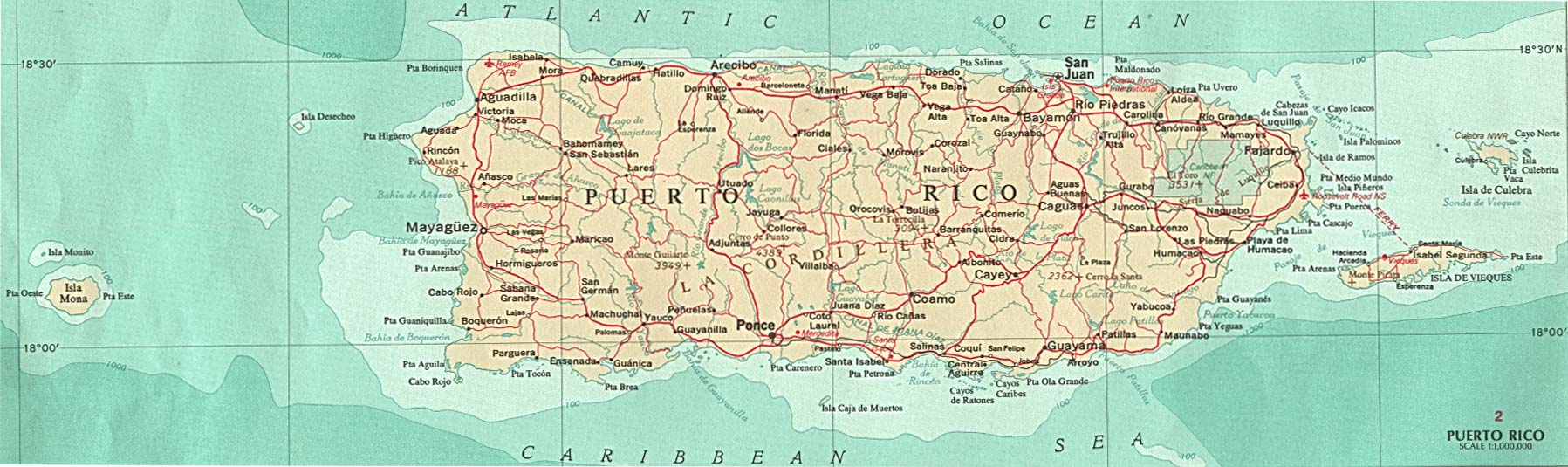
Ten students (all working K-12 teachers) traveled to Puerto Rico with their professor, Dr. Dixie Winters, and Monica Grigera, Multicultural Programs Coordinator at PSY, for a week's worth of cultural immersion and reflection - the goal being to support their awareness of and appreciation for Hispanic culture and to enahnce some of the activities that they do in the classroom.
For a week, they took classes at the Universidad del Sagrado Corazón in San Juan on language, culture, history, and literature. They traveled around the island, experiencing the diverse landscapes and geography, the arts and music as well as the delicious food. Besides their work at the university, they also visited teachers in a local grade school and had the chance to talk about educational practices in Puerto Rico. The students returned home after a week of adventures excited about what they had seen and experienced and eager to develop activities in their classes that recognize and honor the Latino contribution to math, science, and the arts.
But this blog post isn't about all that per se... but about how they used technology: blogs, YouTube, and multi-media to reflect on their experiences and describe their journeys as travelers and as teachers.
I met with Dixie and Monica, several times before the trip to discuss the tools that could best support their reflection and give a place to store artifacts for later viewing and presenting. A blog seemed like a perfect tool. With grant money, they purchased 5 FlipCams to record their trip, and we arranged for Matt Frank, our Digital Commons support person to meet with them after their return to stitch together video into a coherent story.
Technology training for students occurred in 2 blocks of time: A three hour session the week before they left for the trip and a 6-hour session afterwards.
Before they left: In this first session, we showed them how to work their cameras, and how to set-up and work in their blogs as well as how to post videos to YouTube and embed them in their blogs.
In this first session, we also talked at length about having a focus (much like writing a paper) for the pictures and video that they would take. Were they interested in the differences in class size or extended family?... then they wanted to make sure they captured video and still shots to support their question and the answers they were finding. The blog would serve as a place to reflect on the question, post new questions, and talk about the a-ha's of the trip. So they needed to "edit" their video and picture taking to really help them focus in on their question (and not have so much video to process on the return!).
We also passed out release forms for students to give to anyone they videotaped getting permission to use the video online later in YouTube.
Everyone was told to bring an 8 GB flash drive to the second session in order to store video from their cameras and their iMovie from their session with Matt.
After the return... we worked from 9-3:00 pm with an hour for lunch with Matt Frank on creating a movie using iMovie. We started with a brief review about how to upload to YouTube and embed the code into their blogs. Dixie talked to them about their presentations to the community and how they should approach it, using the blogs with embedded pics, individual videos, and their movies to talk about the experience. What did it all mean -as a teacher - as a person? With that focus in mind, the students were told to work with 3- 5 longer clips, stitching them together to help tell their reflective story.
By 2:15, they were ready to save and export their movies to YouTube and then embed them in their blogs. All went well and with 10 students who were motivated and interested, we made it through some very detailed processes.
So, back to the initial question... What does it mean to be literate in a digital age? For these students, it meant many processes with which they were already familiar: thinking of an authentic question, gathering resources about it (in this case, by travel and first hand experience), reflecting on the deeper meaning and connections to their own experience, organizing their thoughts into a coherent whole, using evidence (pictures and videos) to support their ideas, and synthesizing many ideas into one larger expression (iMovie culminating project and the blog as a whole). Students would then have to present their ideas, using the blogs with embedded artifacts to express their ideas.
With all of this going on, with students so engaged in the experience and in their own thoughts and how to express them, Dixie decided to forgo the additional research paper requirement as it seemed redundant at that point. Before this project, I wasn't so sure I bought into the notion of digital media replacing traditional literacies, but why this worked for me was the work of the students. They worked hard, they did the reflection, they gathered the artifacts, they took the work seriously. They applied what they were experiencing to their own classroom life and teaching practices. In the case of this course, their work was an excellent measure of their learning. Would this work with all classes and all levels of students? No, but for highly motivated students, who are interested and open to new things, it was a great fit!
I look forward to their presentations on 9/14 and 9/21 at 4:00 pm in The Rosie Ruhl Community Center at PSY.
Look at the video below dated June 24th for a pre-trip discussion by Dr. Winters.
Monday, July 13, 2009
New Media Literacy
What does it mean to be literate in a digital age... Watch a 2 minute video from MIT that explains this in a nutshell....
http://newmedialiteracies.org/
Download Henry Jenkins's (MIT) whitepaper for The Macarthur Foundation - Confronting the Challenges of Participatory Culture: Media Education for the 21st Century
http://newmedialiteracies.org/
Download Henry Jenkins's (MIT) whitepaper for The Macarthur Foundation - Confronting the Challenges of Participatory Culture: Media Education for the 21st Century
Wednesday, July 1, 2009
Journal of Interactive Online Learning

This is an interesting journal with research about blogs, wikis, and other Web 2.0 tools usage in higher-ed settings
http://www.ncolr.org/jiol/
Wednesday, June 24, 2009
Thursday, June 18, 2009
Plagiarism & Academic Integrity in a Digital World
Visit resources on academic integrity at:
http://www.personal.psu.edu/scs15/idweb/academicintegrity.htm
Add your thoughts to the blog - Click on "Comments" below to join the conversation...
http://www.personal.psu.edu/scs15/idweb/academicintegrity.htm
Add your thoughts to the blog - Click on "Comments" below to join the conversation...
Friday, June 12, 2009
Alan Levine - 50 Ways to Tell a Story

http://live.libraries.psu.edu/mediasite/Viewer/?peid=cacc114267be4487aaa52c47797b51e0
This presentation by Alan Levine, Vice President, Community and Chief Technical Officer for the New Media Consortium, is really worthwhile. He demonstrates the many web tools that are now available to help users tell a story in different ways. Bottom line - it isn't so much about the tool as the design behind it.
Friday, June 5, 2009
The Next New Thing... Building a Better eMail Tool
At one of our summer Conversations in Teaching sessions at our campus, I was asked what I thought the next thing was going to be (we were talking about Web 2.0 stuff and their educational uses - blogs, wikis, Twitter, etc....) At the time, I said, well, we really need to catch our breath and catch up with everything first - They can innovate like crazy, but until we are able to catch up with the new paradigm in terms of how it works in the classroom, I think we've just about hit the wall.... and then at a meeting this morning of instructional designers at PSU, my boss at UP suggested that we all take a look at Google's new application - Google Wave...
OK - so I see the next thing now - A tool that rolls IM, e-mail, wikis, and blogs really into one amazing tool - I'm only 35 minutes into their presentation and pretty amazed... Take a look at the video to see what this new application will be capable of doing
OK - so I see the next thing now - A tool that rolls IM, e-mail, wikis, and blogs really into one amazing tool - I'm only 35 minutes into their presentation and pretty amazed... Take a look at the video to see what this new application will be capable of doing
Wednesday, May 27, 2009

Handling Student Requests for Special Consideration

Mediasite Live presentation from 5/26 Online Issues Forum:
When Life Gets in the Way
A panel of online instructors with diverse levelshttp://live.libraries.psu.edu/mediasite/Viewer/?peid=be162de3e776481bb3c12a10a5ba5d24
of experience discuss how they each handle student
issues and requests for special consideration
when “life gets in the way”
Wednesday, May 13, 2009
Faculty Multi-Media Kit
This is a short 3-minute video giving an overview of the tools in the faculty portable multi-media kit that Loren and I put together. This kit gives you the tools you need to create online content for your courses. From podcasting, to video, to webcasting, the sky is the limit with this very portable collection of user-friendly tools!
Using the Blue SnowFlake Mic & Camera to Record Lectures in Adobe Connect

See an example of a recorded lecture in Adobe Connect that was created using the Blue Snowflake mic and webcam that is part of the portable multi-media kit that faculty can check out for use.
Link to the example at https://breeze.psu.edu/p96204070/
From Ted.com...

Hear Shai Agassi's talk on electric cars...
at Ted.com http://www.ted.com/index.php/talks/shai_agassi_on_electric_cars.html
Visit Planet Better Place
photo from http://earth2tech.com/2009/05/06/photos-renault-unveils-revised-electric-kangoo-ze-prototype/
Why this post on an eLearning Blog??? From the earth2tech website "About" section
"Earth2Tech is a publication devoted to covering startups and entrepreneurs that are creating innovations to fight climate change. We scour university labs for the next cleantech leaders, and keep a close eye on tech giants’ green campaigns.
The site is part of the San Francisco-based GigaOM Network that combines the assets of blogging and news reporting to bring fast, relevant, and contextualized coverage of the technology industry."
I think that thinking "green" is a good thing to do when considering all the technology and elearning issues.... what's our footprint?
Tuesday, May 12, 2009

Friday, May 1, 2009
ESL & Digital Commons
During the spring semester, I worked with a student who I had in ESL 4 last fall. She wanted to continue to work on her English and I knew she had an interest in radio and TV, so I thought a project using the Digital Commons would work well to accomplish both of her interests. She DJ's at another college radio station on the weekends, in Spanish and so I thought she might want to explore some career options in communications and this might project give her some confidence to do this...so we set out to have her do a kind of news story about a topic she was interested - helping English language learners to be successful.
Here is her film.
Here is her film.
Monday, January 5, 2009
Choosing the Right Digital Media for your Course

For my fall course on digital media at IUB, I had to create a website that would be used to evaluate and choose technologies... I took the opportunity to think through some of the issues we've been having with the digital commons choices/options and created this website - too complicated to really use - faculty aren't going to want to read all that - but if I get a chance to streamline it, I think it will work fine. At the very least, it helped me to think through the decision-making process before I have to start trying to help faculty.
http://www.personal.psu.edu/scs15/R503/project3/
Thursday, December 18, 2008
Working with BA 322 & Breeze

This is the second semester that Ed Jenkins's BA 322 class has done a live webinar using Breeze. Groups of 4-5 students worked on presentations using The 7 Habits of Highly Effective People. They created PowerPoints and scripts which were used like a teleprompter during the webinar.
Several students self-selected to be the tech experts for each group. These students operated the cameras/mics, teleprompter, and advanced the PowerPoints during the presentations. They also were responsible for recording the event for their group.

We had four workshop sessions with the students - The first to familiarize them with the Breeze interface (Each group received a practice site for their use during the semester). The second session was really to give them a taste of the process - the technical people worked through the process, and we used last year's presentations and scripts to give the presenters a chance to try out pacing, using the mics, transitions, etc.
The third session was a dress rehearsal and to iron out the kinks - like transitions between groups, sound checks with the audience, and how each grup wanted to answer questions.
The final session was the live broadcast which was fairly exciting! All went well, and I believe the students felt as if they had really accomplished something.
Loren Brewster, our Director of IT gave us a great classroom set-up - We used a rolling cart with a pc connected to the Internet via the classroom podium. To that pc, we connected the following:
- Panasonic videocamera on small tripod (we did not use the camera to record - only to broadcast. We used Breeze to record - no post production or storage issues) connected via firewire
- Logitech USB microphone taped to a mic stand
One other pc was set up so students could monitor the "far" view and answer questions that were typed in during the webinars.
Incorporating Tech into ESL
 I'm really happy with how the ESL course went this fall - I incorporated a lot more "authentic" language opportunitites for them into what we were doing and I also took the chance to use more technology with them than ever before - This is possible with my smaller class size!
We used blogs throughout the course to sort of portfolio their work and progress, to reinforce the content, to give them a chance to use language in authentic ways, and to showcase the tech they used
Check out their individual blogs (they all linked to each other's) - so start HERE and then click on the links to the other blogs... Be sure to click on "Older Posts" at the bottom of each page to see all of their work.
Tools we used...
- Slideshare.com
- Voicethread.com
- YouTube.com
- Blogger.com
- Digital Commons equipment - Green screen, HD camera, iMovie, FinalCutPro
Broadcasting Live Ustream.tv
I started looking into webstreaming options a few months ago - I don't know why it intrigues me - It's like the excitement of the pioneer radio and TV days, I guess - where people were just in there trying things - it wasn't all sophisticated and polished so the ordinary person could still have a shot at playing around in the medium - It's like my fascination for public access cable - I can't get enough of "Joe Live" and I always check in Wednesday evenings for a few minutes to see the local wrestling show (I've even called in a few times to ask questions - I'm wondering how they choose their wrestling personas - ha!)
I saw a program last week on people who read newspapers on the radio for the blind - I wanted to volunteer locally - and then thought - why not have that be the premise of a short broadcast - see how it goes - choose a couple of interesting articles - read them, then a selection from a nice book or something - just a short 15 minute thing - I tried it this morning and it was great - OK - no viewers -ha - but still, I did it....I may try it a couple of more times.
Already I see the value for the classroom - What material will I select to read and why? If students were doing a broadcast - what kinds of things would they include - would the broadcast be set in a historical or cultural context? I can see lots of possibilities here - For my ESL class, I want them to practice pronunciation and get some confidence-building.
The tool at Ustream.tv allows for viewers to text their comments during the broadcast and you can also allow for co-hosts to join in - so that's my next thing I'll try out with a friend at a distance...You can also record the broadcast and then upload to YouTube...
The embed code they gave didn't work - so I simplified it to match the YouTube embed codes I've used and then it worked - so I need to find someone with coding experience who can help me fix their code so that the comments feature works from the blog....
I'm going to try to broadcast a couple of mornings a week around 7:30 am.... so feel free to stop by :)
Wednesday, November 12, 2008
Wednesday, October 29, 2008
Digital Media in the Classroom
Demo of the new tool Voicethread - designed to capture oral discussions around any topic - Put pics in the center and invite others to comment on it - those comments appear around the edges and if you mouse over them, you hear (or see them ) People can leave comments in 5 ways: text, video, or audio via direct recording, phone call, or import of audio files.
 Demo of the new tool Voicethread - designed to capture oral discussions around any topic - Put pics in the center and invite others to comment on it - those comments appear around the edges and if you mouse over them, you hear (or see them ) People can leave comments in 5 ways: text, video, or audio via direct recording, phone call, or import of audio files.
Tuesday, September 30, 2008
Windows MovieMaker
In an effort to demonstrate other tools that could be used by faculty or students to create content or complete projects, here is a movie I made using still photos and a narrated voice-over using Windows MovieMaker... Notice I forgot the opening title slide - OK - live and learn - but you'll get the picture...
http://www.personal.psu.edu/scs15/Garden08.wmv
http://www.personal.psu.edu/scs15/Garden08.wmv
Tech Talk podcast - Tools to Create Content
This week, the project in my media course was to create a podcast to talk about 3 different tech tools - the pros/cons - that could be used by a specific audience.. So I chose to talk about 3 tools that could be used to create content for either blended or online courses:
See examples of each tool:
- Adobe Connect Pro
- SoftChalk
- CourseCast lecture capturing software
See examples of each tool:
- Adobe Connect Pro - https://breeze.psu.edu/p47078449/
- SoftChalk - http://www.personal.psu.edu/scs15/softchalk/
- CourseCast lecture capturing software - http://panopto.com/casestudies.aspx
Media and Learning - Clark Vs Kozma Debate
In my FA 08 Indiana course, Application of Instructional Media and Technology, we began the course discussing the classic Clark vs. Kozma debate among media researchers about the impact of media on learning.
An overview of the debate can be found at http://www.coe.tamu.edu/~mbastian/Clark-Kozma/CK-Debate.htm The resources and synopsis below come from this site.
Clark's position was that "studies clearly suggest that media do not influence learning under any conditions". Kozma responded seven years later with findings that media selection does indeed impact learning... The debate was off and running....
Other resources about the debate can be found at :
http://edutechwiki.unige.ch/en/The_media_debate
Clark, R. E. (1983). Reconsidering research on learning from media. Review of Educational Research, 53(4), 445-459.
Clark, R. E. (1985). Confounding in educational computing research. Journal of Educational Computing Research, 1(2), 137-148.
Clark, R. E. (1994a). Media and method. The media influence debate: Read the fine print, but don't lose sight of the big picture. Educational Technology, Research & Development, 42(2), 7-10.
Clark, R. E. (1994b). Media will never influence learning. Educational Technology, Research & Development, 42(2), 21-29.
Kozma, R. B. (1991). Learning with media. Review of Educational Research, 61(2), 179-211.
Kozma, R. B. (1994a). A reply: Media and methods. Educational Technology, Research & Development, 42(2), 11-14.
Kozma, R. B. (1994b). Will media influence learning? Reframing the debate. Educational Technology, Research & Development, 42(2), 7-19.
Outdated?
With the advent of Web 2.0 tools, I felt that the debate really was outdated at this point. So much has changed in terms of how we look at learning, the learner, and the interface...that I felt as if the question was really moot... Also, the question of preference never came into play. Sure we CAN learn without multi-media support, but why should we have to try? To me, we have crossed a line of no return - We've tasted what it's like to be creators, participants, and collaborators and there's no going back now... Below is the posting I added to our course discussion with my thoughts on the subject.
*************************************************************************************
I have to say that media definitely does impact learning in several important ways. I believe the visual aspect of media helps to immediately make some difficult concepts more clear – take a look at a rap video on particle physics that just came to my e-mail – I have to say that watching that video (while it didn’t make me an expert) definitely made the concept easier to get an initial handle on - http://news.aol.com/article/no-jive-particle-physics-rap-is-web-hit/155074 So in terms of access to comprehension of content, I think it can provide huge support. And who is going to read a 1000-page report by Al Gore on global warming? But a well crafted multi-media display created an impact (i.e. learning) around the world!
An overview of the debate can be found at http://www.coe.tamu.edu/~mbastian/Clark-Kozma/CK-Debate.htm The resources and synopsis below come from this site.
Clark's position was that "studies clearly suggest that media do not influence learning under any conditions". Kozma responded seven years later with findings that media selection does indeed impact learning... The debate was off and running....
Other resources about the debate can be found at :
http://edutechwiki.unige.ch/en/The_media_debate
Clark, R. E. (1983). Reconsidering research on learning from media. Review of Educational Research, 53(4), 445-459.
Clark, R. E. (1985). Confounding in educational computing research. Journal of Educational Computing Research, 1(2), 137-148.
Clark, R. E. (1994a). Media and method. The media influence debate: Read the fine print, but don't lose sight of the big picture. Educational Technology, Research & Development, 42(2), 7-10.
Clark, R. E. (1994b). Media will never influence learning. Educational Technology, Research & Development, 42(2), 21-29.
Kozma, R. B. (1991). Learning with media. Review of Educational Research, 61(2), 179-211.
Kozma, R. B. (1994a). A reply: Media and methods. Educational Technology, Research & Development, 42(2), 11-14.
Kozma, R. B. (1994b). Will media influence learning? Reframing the debate. Educational Technology, Research & Development, 42(2), 7-19.
Outdated?
With the advent of Web 2.0 tools, I felt that the debate really was outdated at this point. So much has changed in terms of how we look at learning, the learner, and the interface...that I felt as if the question was really moot... Also, the question of preference never came into play. Sure we CAN learn without multi-media support, but why should we have to try? To me, we have crossed a line of no return - We've tasted what it's like to be creators, participants, and collaborators and there's no going back now... Below is the posting I added to our course discussion with my thoughts on the subject.
*************************************************************************************
I have to say that media definitely does impact learning in several important ways. I believe the visual aspect of media helps to immediately make some difficult concepts more clear – take a look at a rap video on particle physics that just came to my e-mail – I have to say that watching that video (while it didn’t make me an expert) definitely made the concept easier to get an initial handle on - http://news.aol.com/article/no-jive-particle-physics-rap-is-web-hit/155074 So in terms of access to comprehension of content, I think it can provide huge support. And who is going to read a 1000-page report by Al Gore on global warming? But a well crafted multi-media display created an impact (i.e. learning) around the world!
The use of media has played a role in the evolving definition of literacy. For the most part, we still think about literacy, and therefore how we learn, in traditional terms – reading and writing (especially in higher education) . Is this notion changing with the advent of Internet and easy access to tools to use and create multi-media? Lawrence Lessig, a copyright lawyer and professor at Stanford was our keynote speaker at our annual Teaching and Learning with Technology Symposium and his presentation really rocked the house – because he was challenging us to re-think our assumptions about all of this – Why do we ask people to read and write in college? To learn, to improve critical thinking skills, to gain content knowledge? Are there new ways to “read” and “write” with new media tools? I believe so! Check out his presentation – just amazing I think – but fast forward to about 10 minutes to bypass the President of PSU J ) http://symposium.tlt.psu.edu/topics/keynote
Even the sacred ground of Bloom’s Taxonomy is being fiddled with to account for the impact of media!!! Bloom’s revised Taxonomy for the digital age (http://www.techlearning.com/shared/printableArticle.php?articleID=196605124 ) … gets us to think about higher-order skills in a new age – What might “evaluation” look like today when we have so much more than just paper and pencil to play with? When we ask students to be creators (“writers”) using other media, we can create motivation, excitement, and enthusiasm for learning (for us and our students!) When students are actively engaged in the creation of their own knowledge then we have set the stage for life-long learning, rather than a study for the test mentality.
What does it mean when the new media tools make it easier than ever to collaborate, copy/paste, show and share what we have created! All of our ideas about who owns what and what can things on the Web be used for need to be re-examined. One of my favorite videos – out for a while – you probably have seen this one – but it captures this in a nutshell and I think is now a classic! http://www.youtube.com/watch?v=6gmP4nk0EOE
The initiatives by MIT and other universities to make all of their content open to the world I think is a shattering plan!!! – Who owns the knowledge – Who should have access – media opens the door, levels the playing field when access is assured for all….
But beware….we as educators need to help our students acquire these new skills as Henry Jenkins states in a really important paper he wrote for the MacArthur Foundation’s Digital Learning Initiative, we have to teach kids to not only be skilled users of media, but ethical ones as well! http://digitallearning.macfound.org/site/c.enJLKQNlFiG/b.2029291/k.97E5/Occasional_Papers.htm
Can you tell I’m excited about this? I guess we all are or we wouldn’t be in this class! I firmly believe that media has huge impact on learning – from access to information and people, to new ways to create and share content, to user-friendly tools and multi-sensory input, I think we are living in a truly exciting age for teaching and learning.
Resources
Particle Physics rap video - http://news.aol.com/article/no-jive-particle-physics-rap-is-web-hit/155074
Lawrence Lessig keynote http://symposium.tlt.psu.edu/topics/keynote
Bloom’s revised Taxonomy for the Digital Age - http://www.techlearning.com/shared/printableArticle.php?articleID=196605124
The Machine is Us/ing Us video -http://www.youtube.com/watch?v=6gmP4nk0EOE
Henry Jenkins’s white paper on new skills for the age of Digital Learning - http://digitallearning.macfound.org/site/c.enJLKQNlFiG/b.2029291/k.97E5/Occasional_Papers.htm
Wednesday, September 3, 2008
Blended Learning Discussion
Hello everyone,
There has been a growing interest in Blended Learning (part online part face-to-face) options for your courses and so I’ve been gathering resources to support this interest.
1) Last summer I offered a workshop which was an overview of blended learning. I just recorded the highlights from it (short – 15 minutes only!) which you can see/hear at your leisure
https://breeze.psu.edu/p47078449/
2) If you don’t have time to listen, check out the resources that are given in the tutorial – PowerPoint, article in rigor in blended courses, and many links for more resources about design ideas for – available at the link above.
3) Participate in this discussion and ask questions or share what you're doing.... by clicking on "Comment" below and adding your thoughts!
There has been a growing interest in Blended Learning (part online part face-to-face) options for your courses and so I’ve been gathering resources to support this interest.
1) Last summer I offered a workshop which was an overview of blended learning. I just recorded the highlights from it (short – 15 minutes only!) which you can see/hear at your leisure
https://breeze.psu.edu/p47078449/
2) If you don’t have time to listen, check out the resources that are given in the tutorial – PowerPoint, article in rigor in blended courses, and many links for more resources about design ideas for – available at the link above.
3) Participate in this discussion and ask questions or share what you're doing.... by clicking on "Comment" below and adding your thoughts!
Thursday, June 19, 2008
Asking Good Questions - under construction
One of the most popular methods in online learning is the discussion forum - but how to make the discussions more meaningful?
Examples...
A) You can answer it with one or two paragraphs, remember to reply to one of your classmates.
3. Give choice to broaden the discussion and motivate learners to tackle s/thing of real interest
- Ask good questions - open-ended, authentic (things you really want to know!), higher-order - asks students to apply or evaluate something - or figure out an ill-structured problem - not fact based or obvious solutions.
A) Question: Based on this powerpoint (or the reading) or on your personal understanding, how do you think "X" may affect a "Y"?
B) Use quotes from the readings to expand the discussion. Ask students to connect, apply, explain, expand, evaluate..:
1) Do you agree with Smith (2004) when he says that “blah blah blah” (p.1) Do you think that this example is part of everyone's experience? If, so – explain why or why not.
2) On page 2, Smith talks about blah blah blah… Can you think of 5 more examples of this concept?
3) On p. 3, Smith says “blah”. How can we avoid this mistake?
4) Also on p. 3, Smith says, “blah” What is your opinion on this?
5) Do you agree with the quote on p. 5: “blah blah blah"? Explain why.
2. State your expectations for responses - at least 2 paragraphs with a response to at least one peer that extends the ideas, connects to other ideas from class or outside, relates to real-world experience, etc... so it has to ADD to the discussion - not just react to the comment like good idea or I agree or disagree...B) Use quotes from the readings to expand the discussion. Ask students to connect, apply, explain, expand, evaluate..:
Respond to only two out of the five questions below from "reading 1". Make sure to also reply to at least one of your classmates’ postings.
1) Do you agree with Smith (2004) when he says that “blah blah blah” (p.1) Do you think that this example is part of everyone's experience? If, so – explain why or why not.
2) On page 2, Smith talks about blah blah blah… Can you think of 5 more examples of this concept?
3) On p. 3, Smith says “blah”. How can we avoid this mistake?
4) Also on p. 3, Smith says, “blah” What is your opinion on this?
5) Do you agree with the quote on p. 5: “blah blah blah"? Explain why.
Examples...
A) You can answer it with one or two paragraphs, remember to reply to one of your classmates.
3. Give choice to broaden the discussion and motivate learners to tackle s/thing of real interest
Respond to two out of the four questions below from article "X". Make sure to also reply to at least one of your classmates’ postings.
1) What kind of global or focal predictions do you do (or might do in the future) with your students when it comes to reading? Give at least two examples. Explain
2) On p. 186, Smith talks about conventions. When teaching reading, what kind of conventions do you introduce or highlight to your students? Give at least two examples and justify why you find them to be important.
3) As an experienced reader, have you ever been in situations in which you felt like a beginner reader? Briefly describe the situation in case this has ever happened to you.
4) Identify at least three quotes from the article that you found to be relevant to you as a reader and explain why (please put the page #s for the quotes).
Subscribe to:
Posts (Atom)